MentraTrack gives trainees a single, connected system to track hours, supervision, competencies, and exam prep, all in one place.
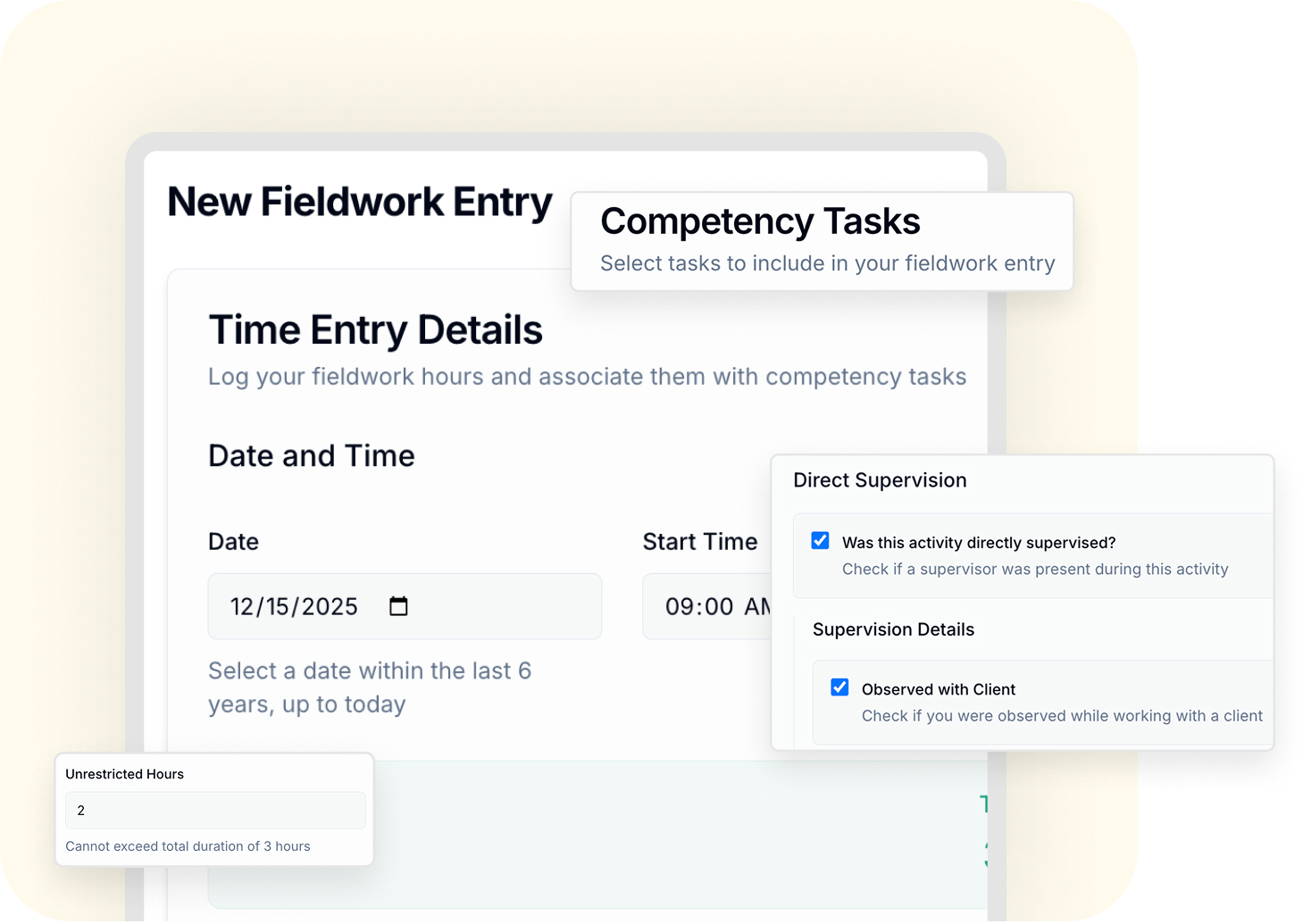
Log fieldwork sessions using structured entries that capture the details required for BACB® requirements, while linking each session directly to relevant competencies.

Guided entry fields prevent missing information
Tag competencies aligned to the BACB® 6th Edition TCO
Add reflections and evidence at the session level
Restricted and unrestricted hours tracked with the right ratios
Supervisor selection and supervision method built in
Your hours and competency development stay connected from the start.
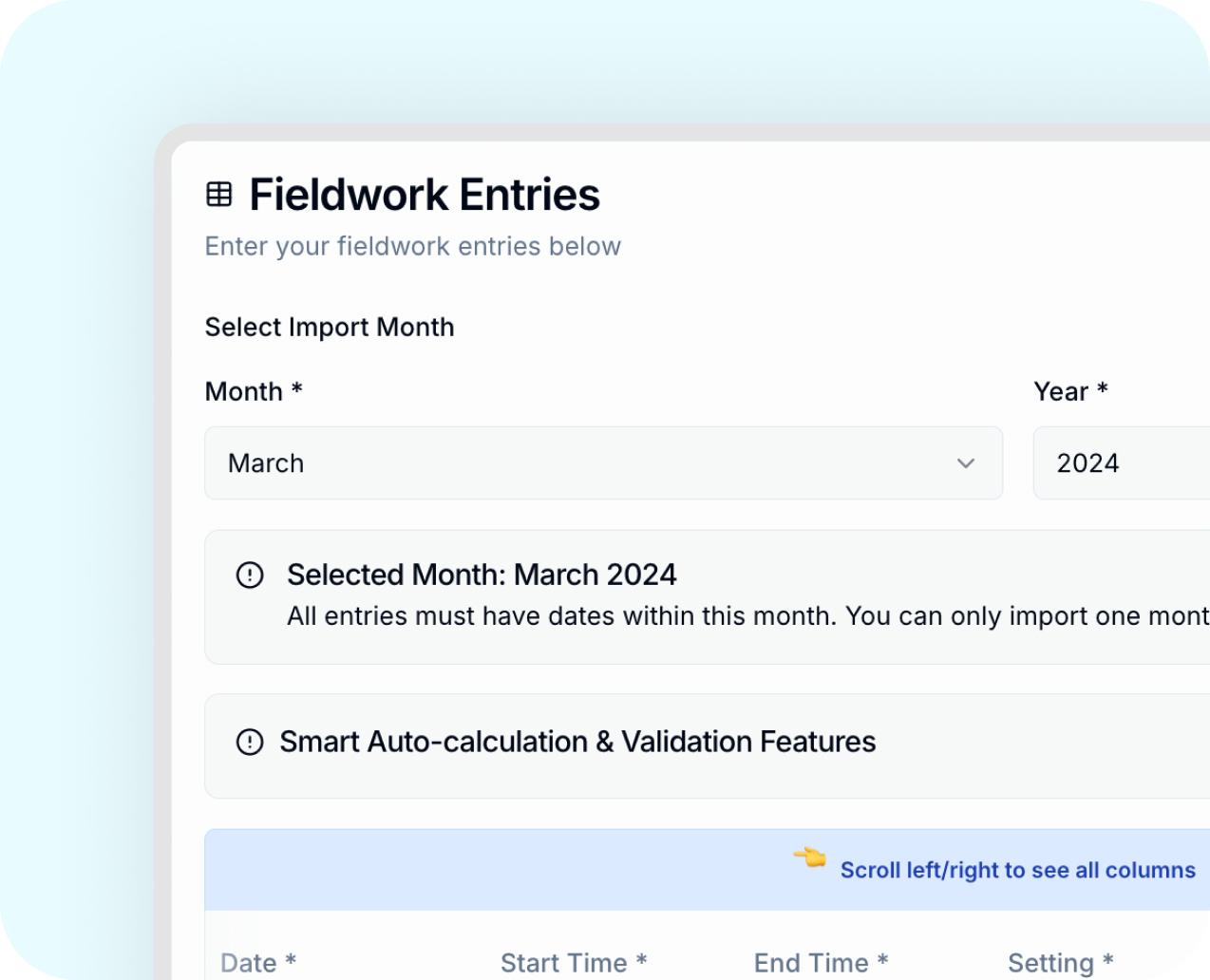
Bring prior fieldwork into MentraTrack without losing structure or audit integrity.
Import historical sessions as individual entries
Maintain chronological accuracy and documentation
Keep a complete and defensible audit trail
Imported hours are evaluated using the same compliance logic as new entries
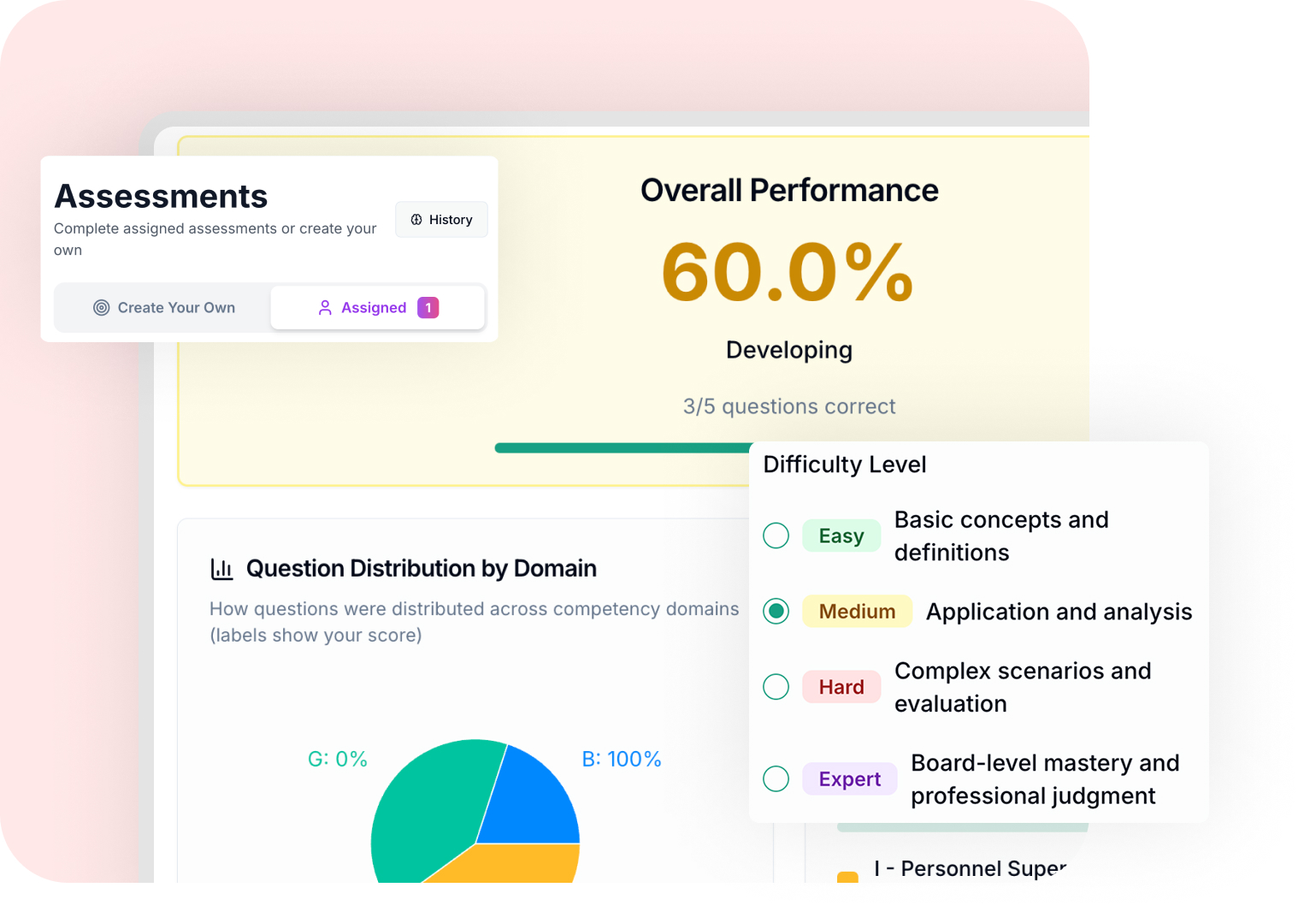
Exam prep aligned to BACB® 6th Edition Test Content Outline (TCO)
Use AI-powered assessments to support exam preparation alongside your fieldwork.
Create your own assessments by domain or topic
Complete assessments assigned by your supervisor
Adjust difficulty and question count
Identify strengths and gaps using domain-level performance trends
Study and review performance with insights tied directly to the BACB® TCO.
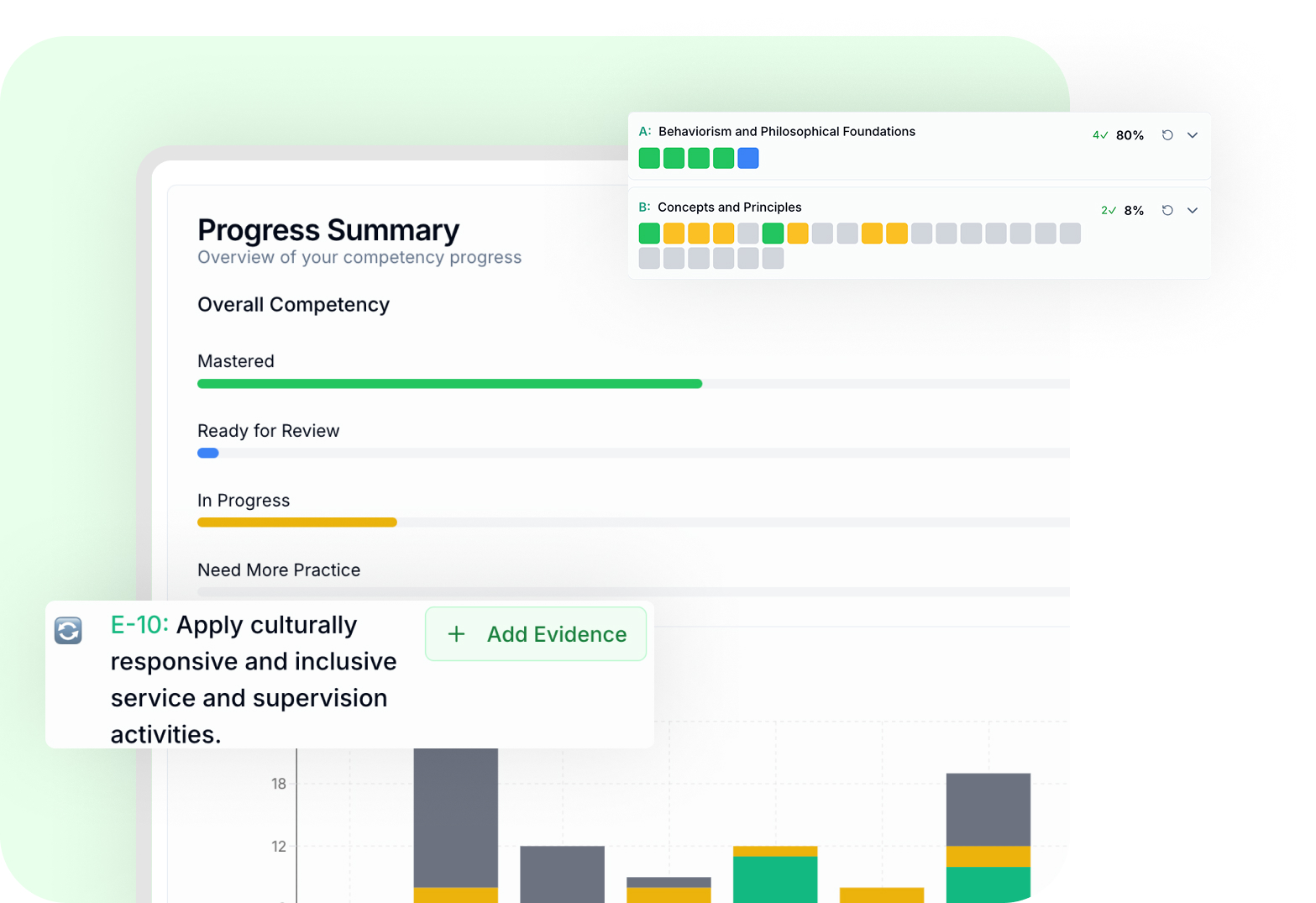
Your fieldwork connects directly to the BACB® 6th Edition Test Content Outline.
Tag competencies to actual fieldwork sessions
Upload evidence and supporting artifacts for each task
Demonstrate skill development across settings, clients, and activities
Monitor competency status as skills move from in progress to mastered
This creates a defensible record of applied experience, with documented evidence tied directly to BACB® TCO.
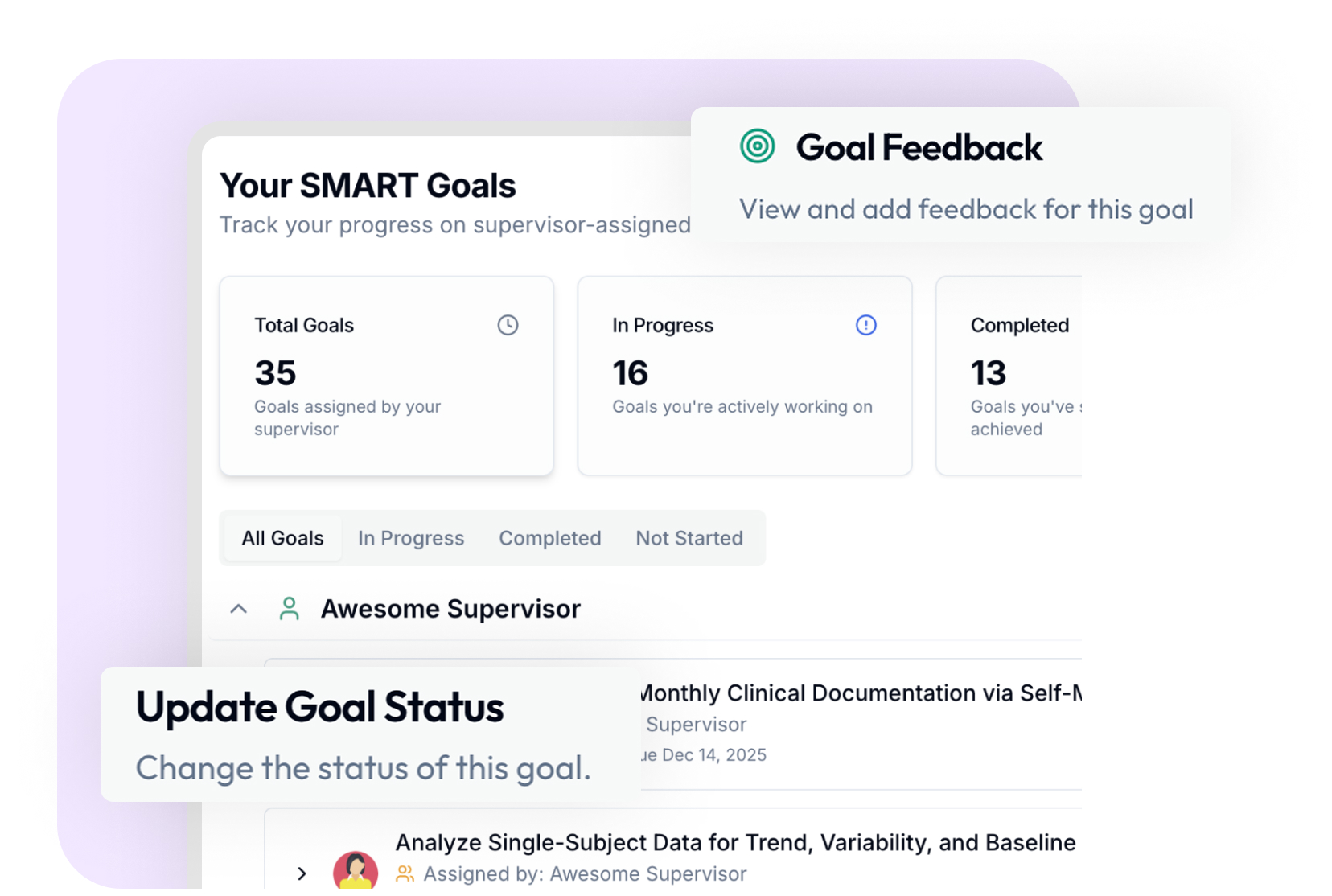
MentraTrack’s AI Assessment tools support your exam prep.
Create custom quizzes by domain or topic
Choose difficulty and number of questions
See where you are strong and where you need more focus
Use history and trends to guide your study plan
You go into the exam with a clear picture of your readiness.
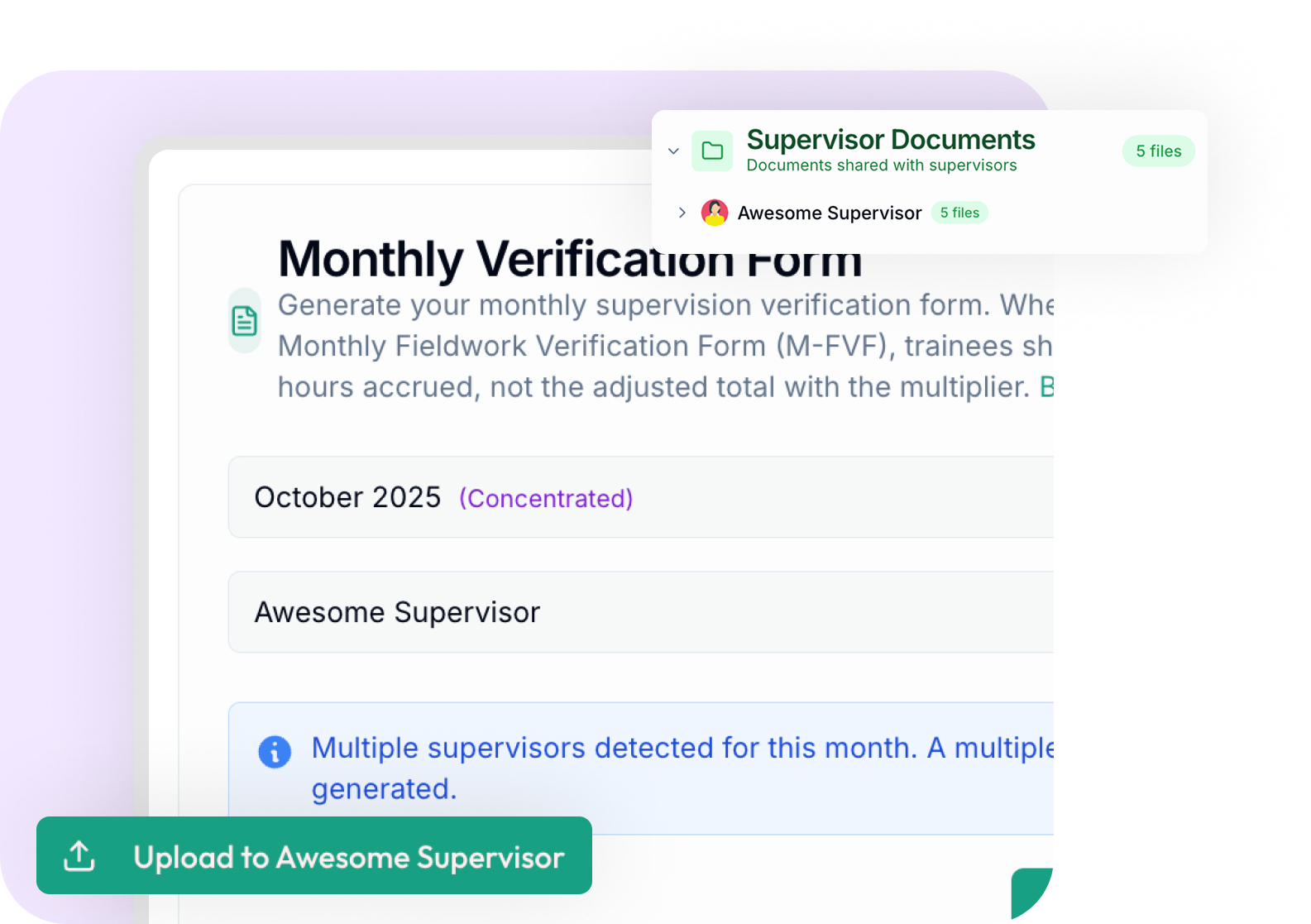
Generate required BACB® forms directly from your logged fieldwork and store them securely.
Monthly and final forms generated from real data
Supervisor review and digital signatures
Automatic storage in the Document Center
Share documents with your supervisors
Your documentation stays organized, accurate, and ready when reviewed.
.png)
.svg)

.svg)


.svg)





.svg)




Set up your account and log your first entries in minutes.
.svg)
Empowering the next generation of BCBAs with intelligent supervision tracking and competency development.
.svg)
.svg)
© 2026 MentraCore LLC. All rights reserved.
BCBA® is a registered trademark of the Behavior Analyst Certification Board®. MentraTrack is an independent platform and is not affiliated with or endorsed by the BACB®.
.svg)
