MentraTrack structures every fieldwork entry, supervision event, and monthly summary to align with BACB® requirements
so your hours are accurate, reviewable, and audit-ready from day one.
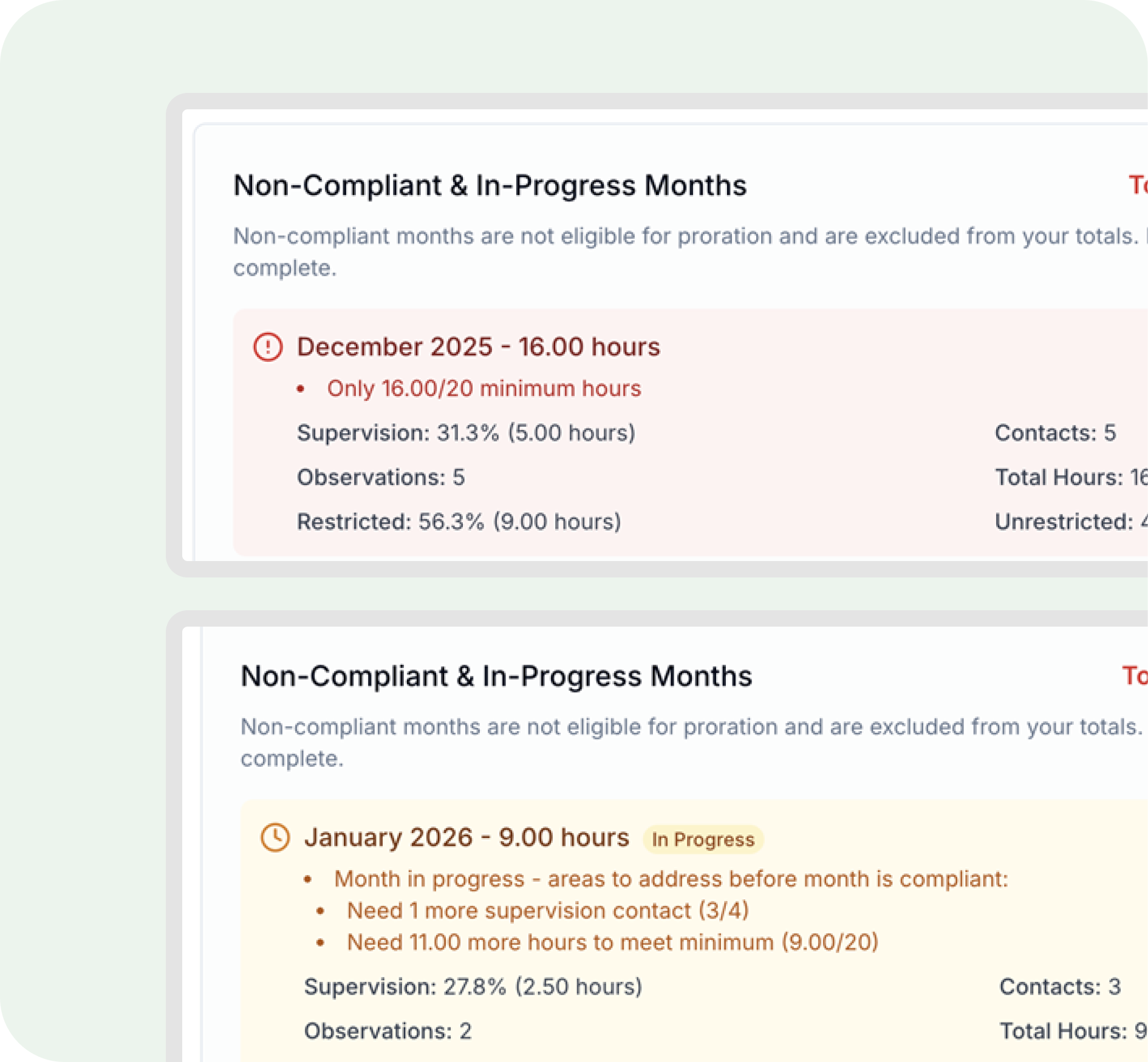
MentraTrack runs real-time compliance checks against BACB® fieldwork requirements as entries are logged, not weeks later. Each month is automatically labeled Compliant, In Progress, or Non-Compliant, with clear explanations for any issues (missing hours, supervision percentage problems, restricted vs. unrestricted balance, or observation/contact gaps). Non-compliant months are excluded from totals, while in-progress months update dynamically as new entries are added.
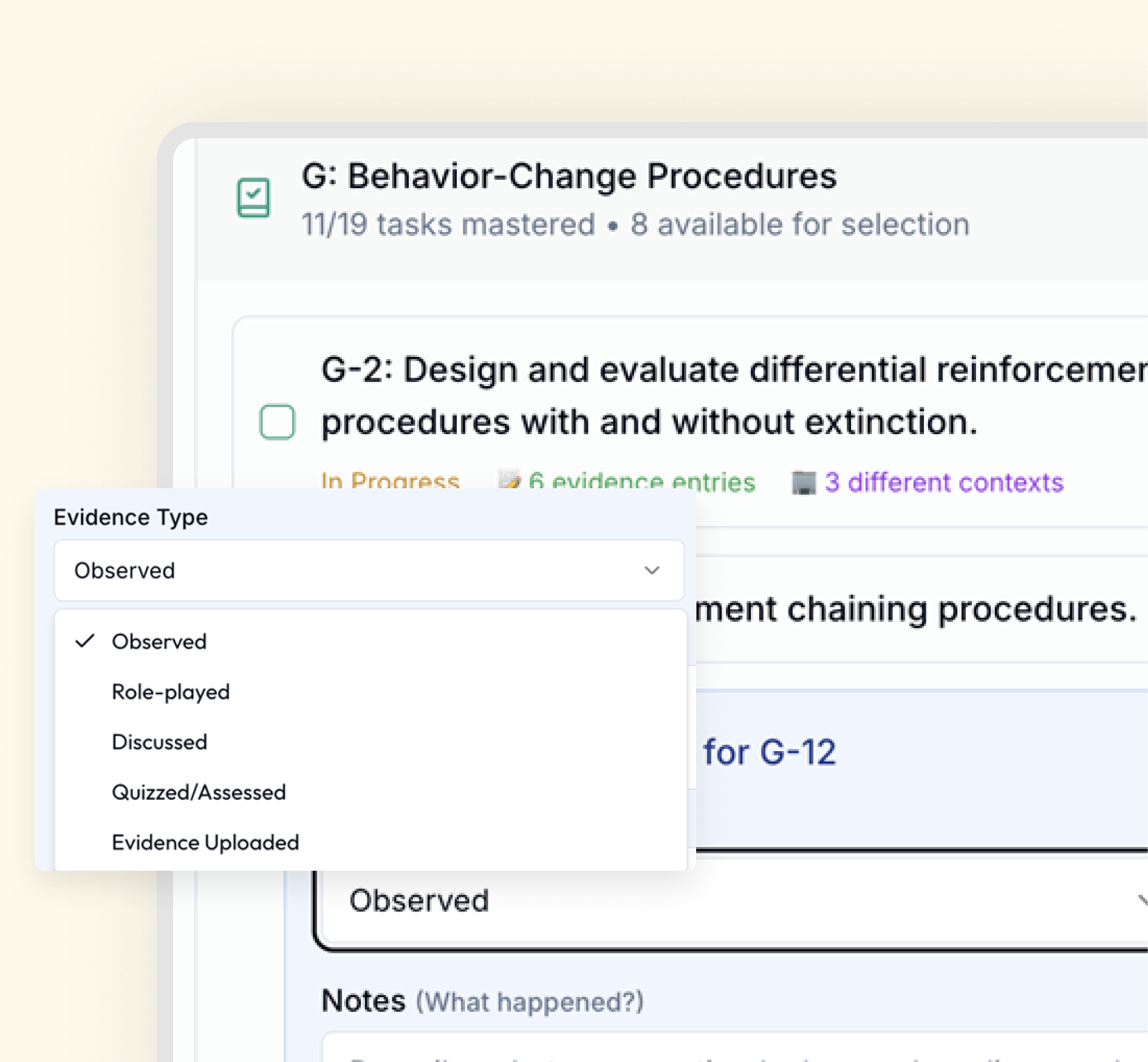
MentraTrack links every fieldwork entry directly to BACB® 6th Edition TCO competencies, allowing trainees to document evidence at the session level. For each competency, users can capture evidence type, activity context, structured notes, reflections, and supporting uploads, creating a clear, auditable record of how competencies were demonstrated over time rather than relying on retroactive summaries.
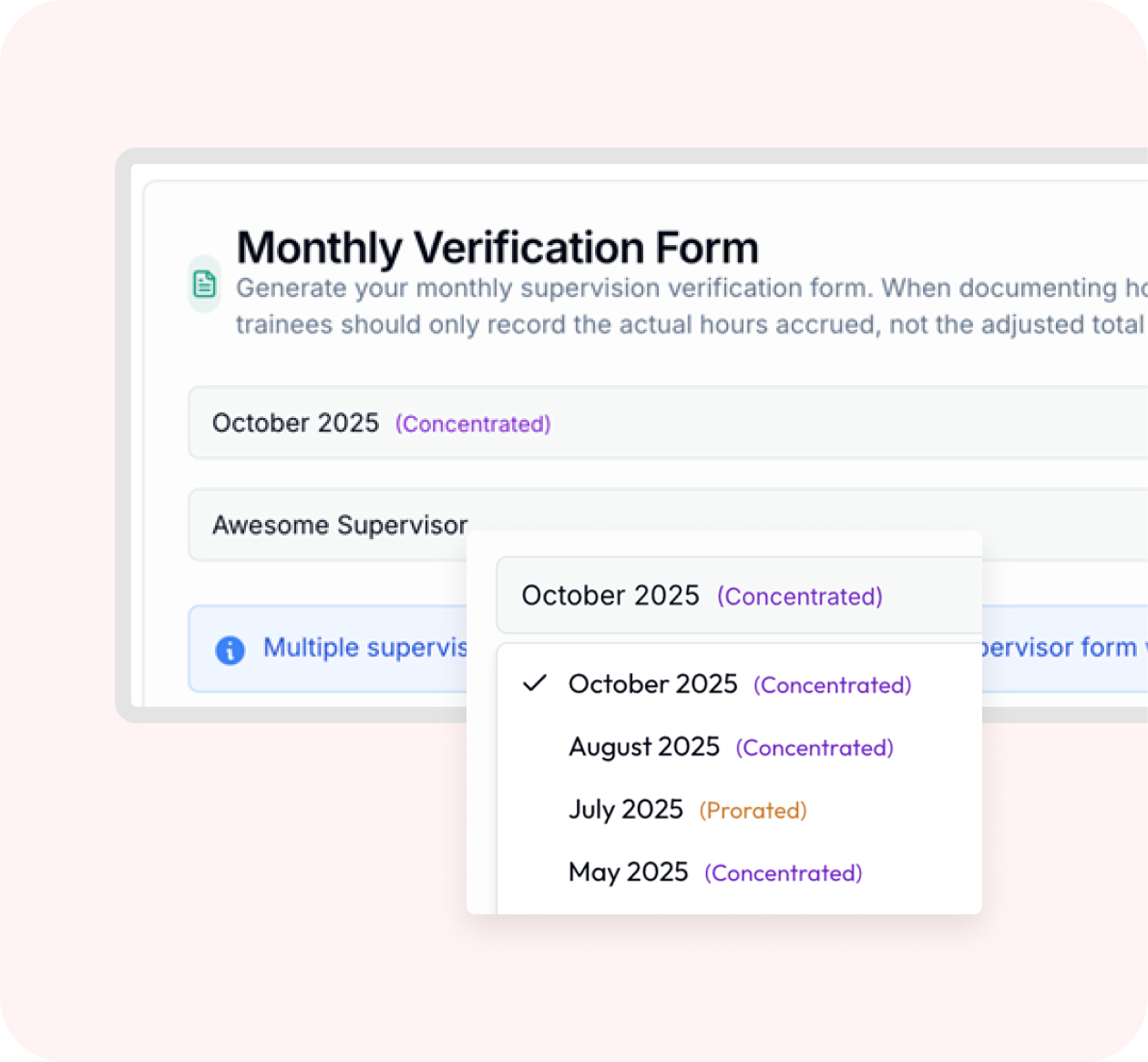
Monthly and final BACB® forms are generated directly from your logged fieldwork, no manual entry required. Because forms are built from validated data already in the system, totals remain accurate and aligned with BACB® requirements.
See monthly compliance status clearly and access structured documentation whenever your records are reviewed.
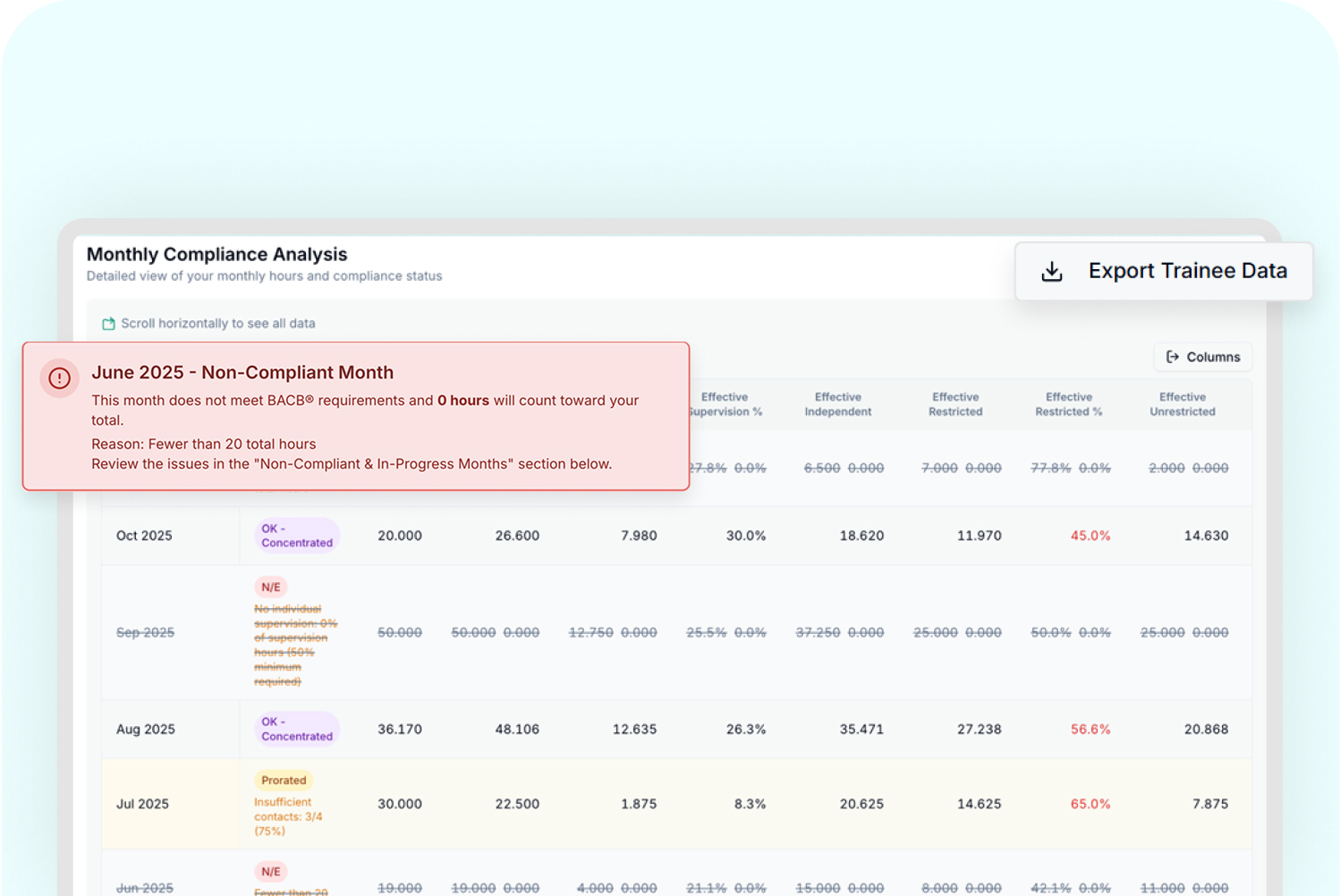
Visual summaries make it easy to spot imbalances quickly, while the table view provides full transparency into how totals, percentages, and status labels are calculated.Data updates automatically as entries change, so your monthly compliance view always reflects your most current fieldwork.`
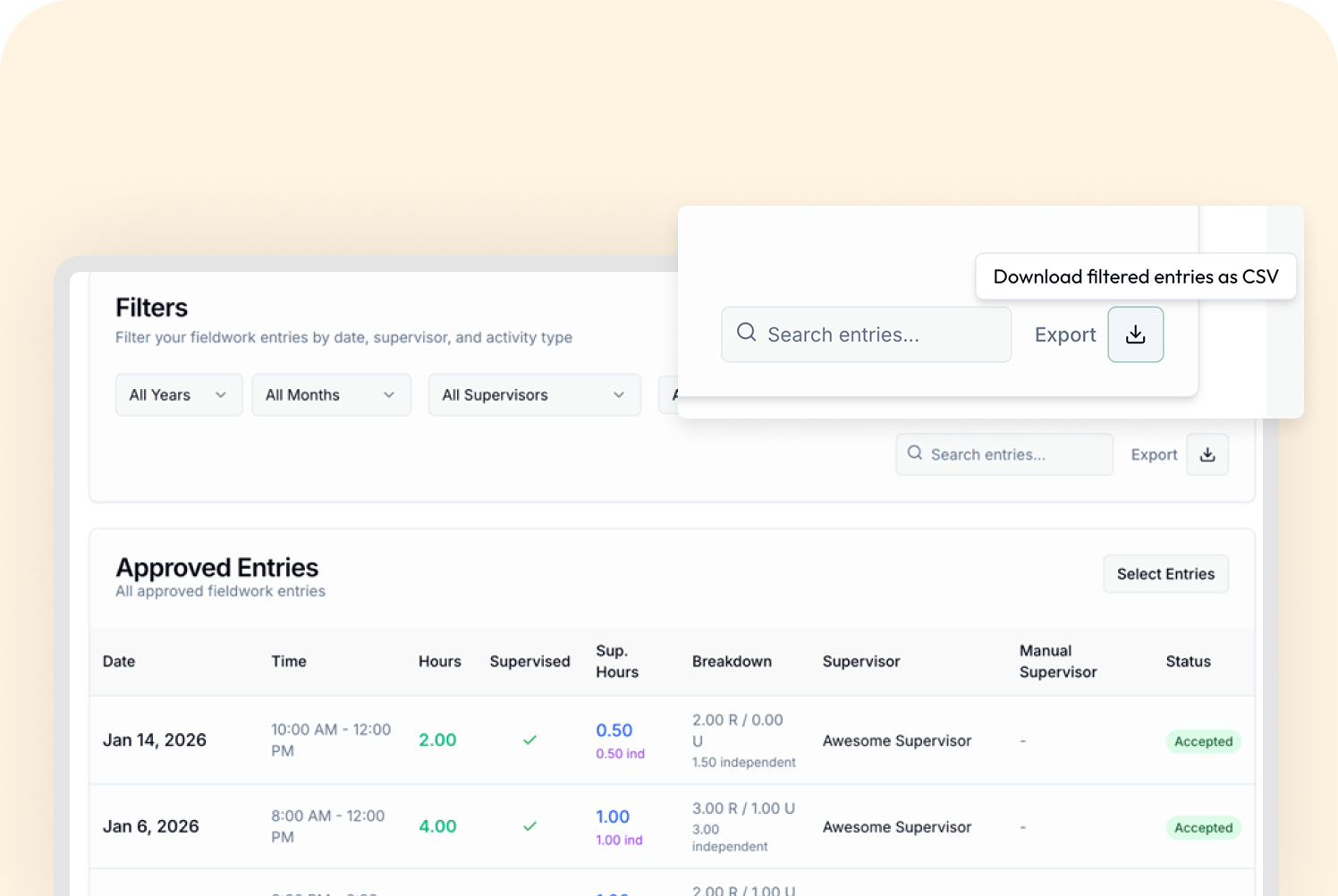
MentraTrack keeps documentation organized and transparent, with exports that preserve the same structured data used throughout the platform. You can export individual fieldwork entries with full session-level detail or generate monthly summaries showing totals, supervision, and compliance status, making records easy to review, share, and archive.
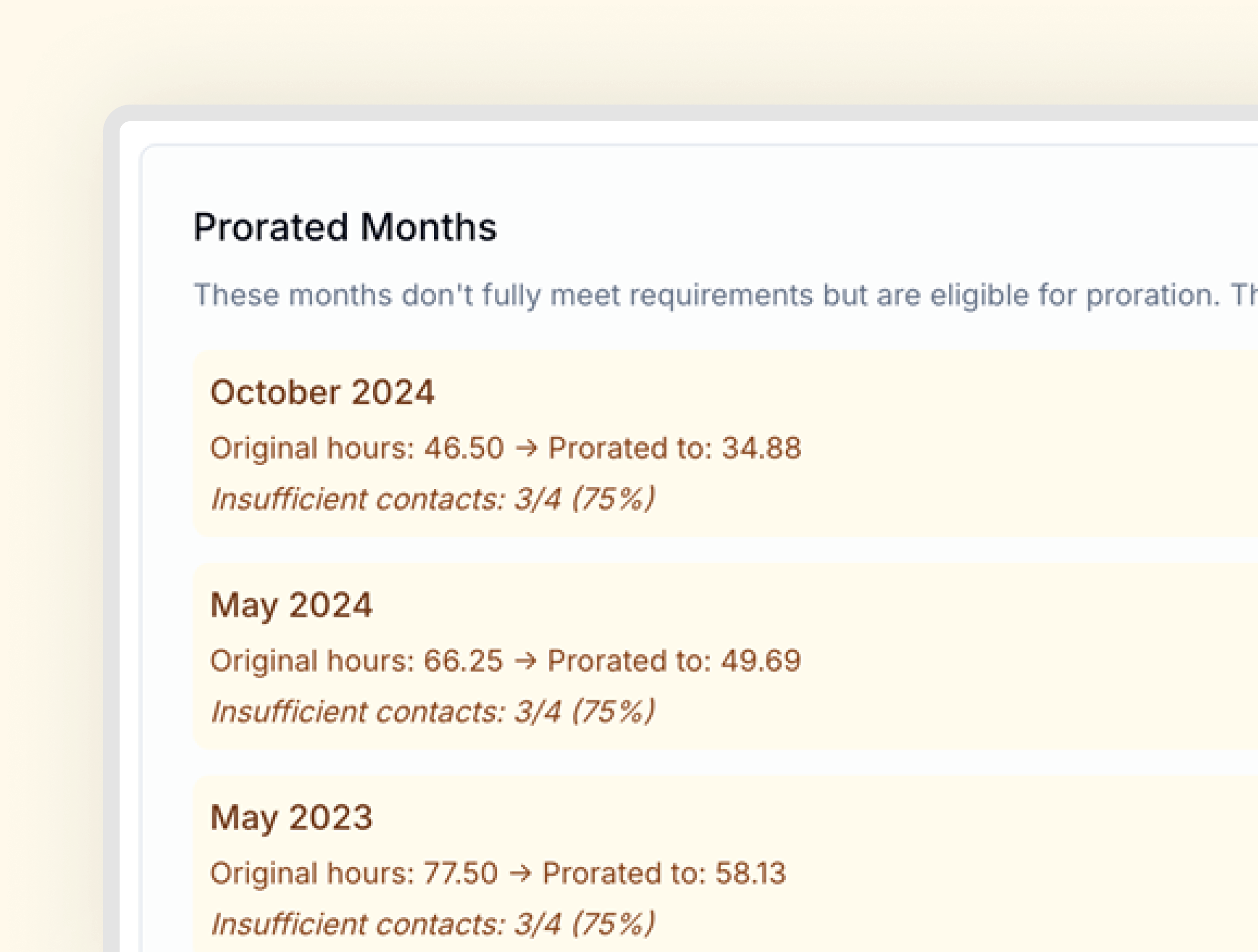
real-world fieldwork, automatically handling months that don’t meet every requirement but are still eligible for proration under BACB® guidelines, with clear and transparent calculations

Automatically identifies months eligible for proration
Calculates effective hours based on BACB® rules without manual work
Clearly shows how prorated hours were determined for trainees and supervisors
These situations are documented and visible instead of hidden inside a formula in a personal spreadsheet.
.png)
.svg)

.svg)


.svg)





.svg)




See what it feels like to log a session in MentraTrack.
.svg)
Empowering the next generation of BCBAs with intelligent supervision tracking and competency development.
.svg)
.svg)
© 2026 MentraCore LLC. All rights reserved.
BCBA® is a registered trademark of the Behavior Analyst Certification Board®. MentraTrack is an independent platform and is not affiliated with or endorsed by the BACB®.
.svg)
